Checking a site for conservation areas and listed buildings
Every UK window project gets a Site check between the address and the render: we look the postcode up against the national planning register — conservation areas, Article 4 directions, listed buildings and World Heritage Sites — so you know before you quote. The finding is free on any Pro plan; the Planning Review add-on turns it into what your council actually requires.
Enter the address as usual
Fill in the postcode on the Finalize step of a detailed window project, then tap Next. A “Site check” step appears after it. Nothing extra to switch on — it runs on its own.
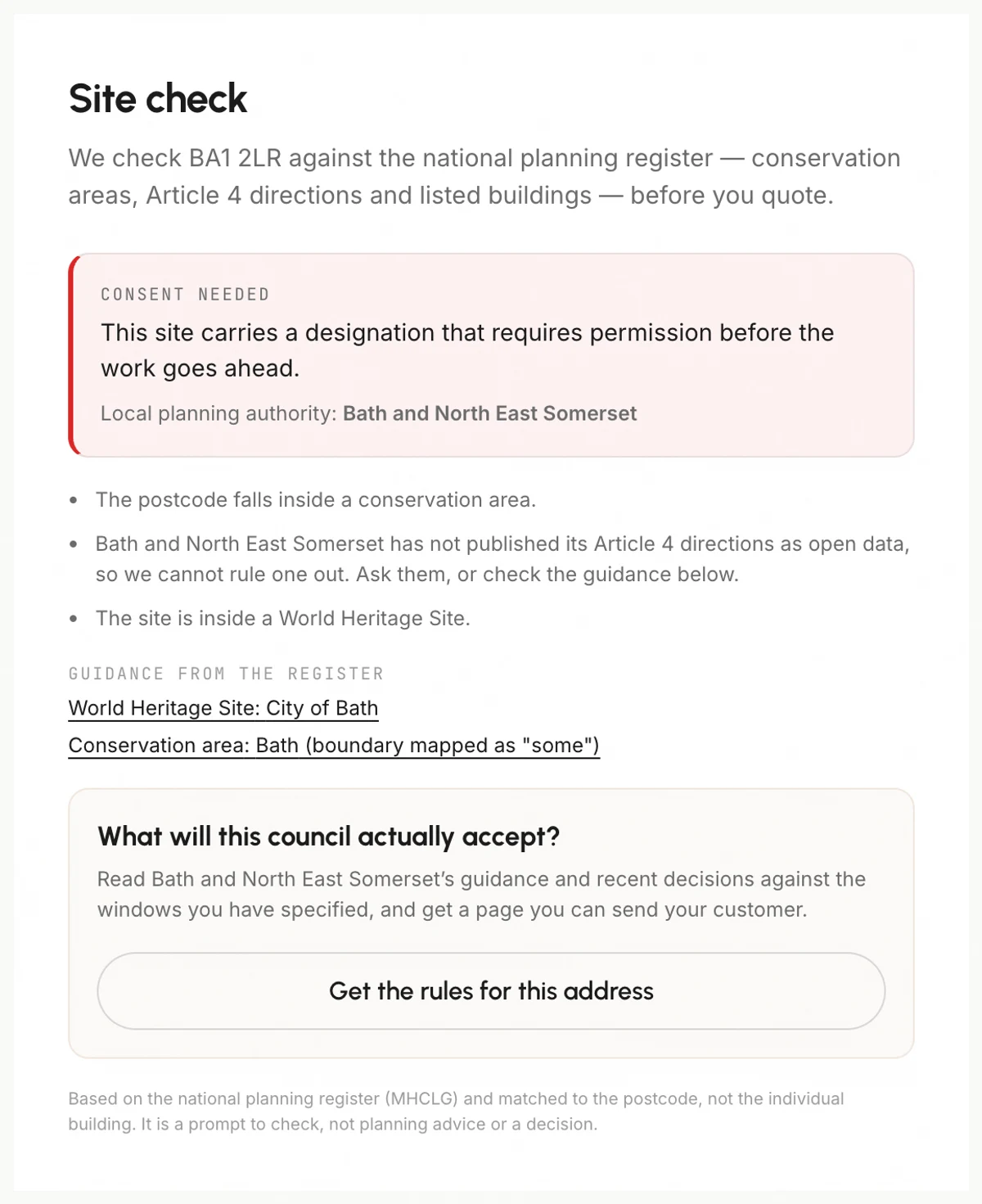
Read the finding
You get one of three answers. “Nothing flagged” means no designation was found and the council does publish its Article 4 data, so the absence means something. “Worth checking” means there is a designation, or the postcode sits near a boundary, or the council publishes no Article 4 data. “Consent needed” means something definitely stands in the way — a listed building, a published Article 4 area, or a World Heritage Site.
Follow the council’s own guidance
Where the register has one, we link the council’s own conservation area appraisal. That is the document an officer will quote back at you, so it is usually worth more than any summary. We also show how precisely the boundary is mapped — some are marked “authoritative”, others only “some”.
Get the rules for the address (add-on)
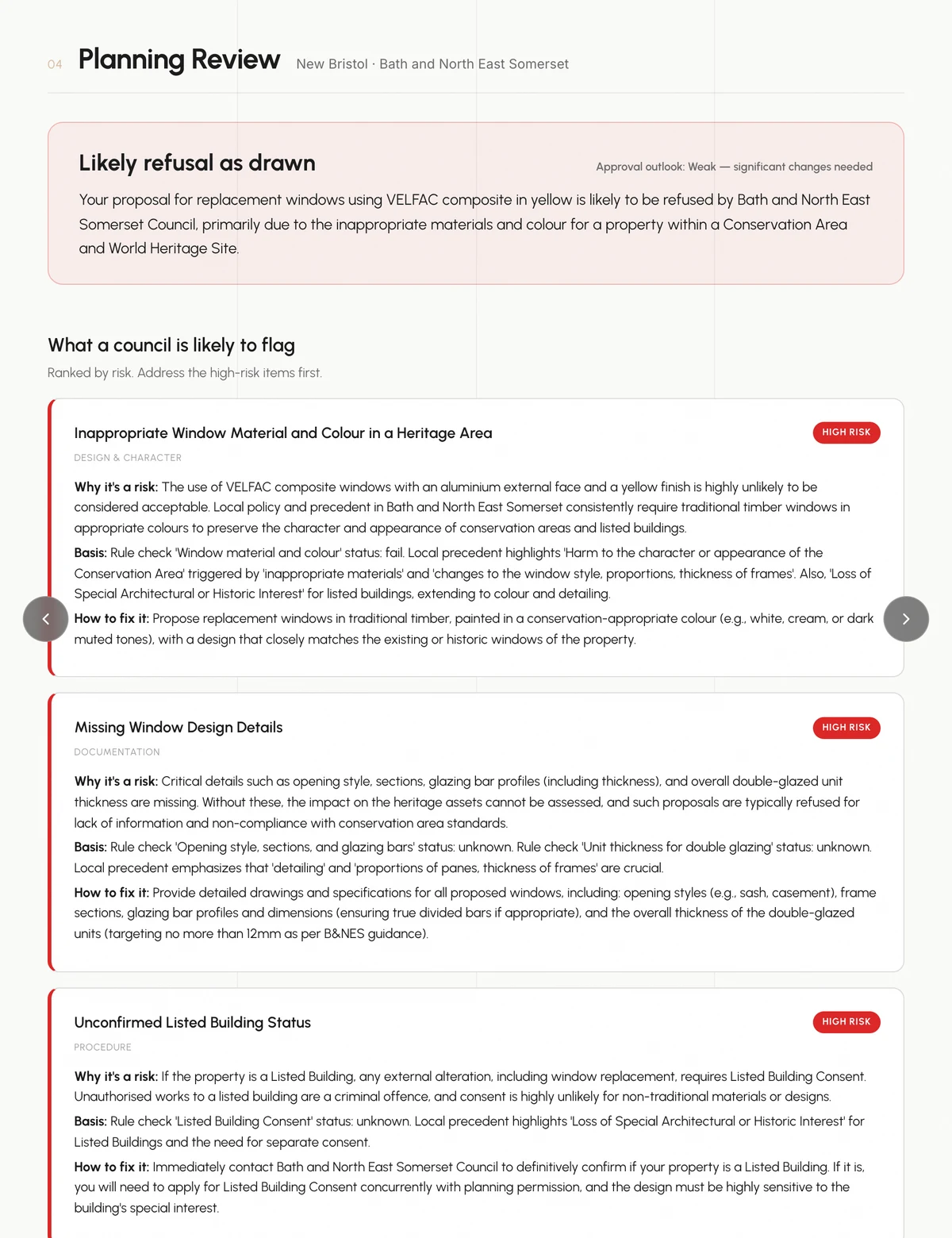
On a designated site, “Get the rules for this address” reads your council’s guidance and recent decisions against the windows you have actually specified — material, colour, opening style, sections — and writes a risk-ranked report. It saves as a Planning Review attached to the project, so it appears under Projects → Planning Reviews.
Put it in front of the customer
On the report, tick “Add to client brochure”. The review becomes a page inside that project’s brochure, next to the quote — which is where the answer to “why does this say timber and not uPVC?” belongs. From there, “Back to edit specifications” returns you to the job and “Continue to render” carries on.
Tips
- Set the Material field when you pick “Other” as a product. It is the first thing a conservation officer looks at, and it changes the answer more than anything else you enter.
- A conservation area on its own usually does NOT stop window replacement — it is an Article 4 direction that does. Read the finding before you turn work away.
- We match the postcode, not the individual building. Conservation boundaries often run down the middle of a street, so where we say the site is near a boundary, confirm the exact address.
- Roughly two thirds of English councils publish no Article 4 data at all. Where we say we cannot rule one out, that is real — ask the council.
- The check covers England only. Scotland runs a different process (prior notification, 28 days, silence means consent) and we do not check it yet.
- It never blocks you. Generate stays available whatever the finding says.