Quote the job before you leave the driveway.
Photograph the house, drop the new windows or doors in true to scale and true to colour, and hand the customer a branded brochure with the quote already inside. No Photoshop, no “I’ll send something over”.
45+ leading manufacturers · 800+ products in the catalog · UK · US
They see exactly what they’re buying.
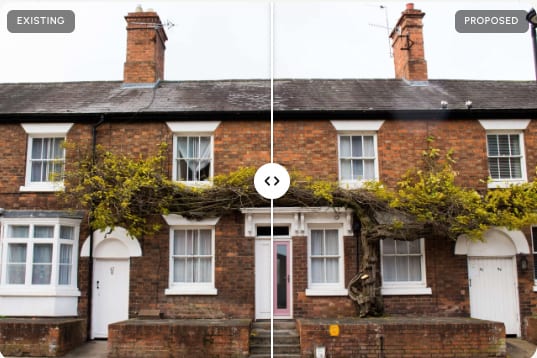
Photo of the house in. Same house out — with the new windows or doors dropped in true to scale, true to colour, true to the manufacturer. No artist’s impression, no waiting. The customer signs off at the kitchen table.
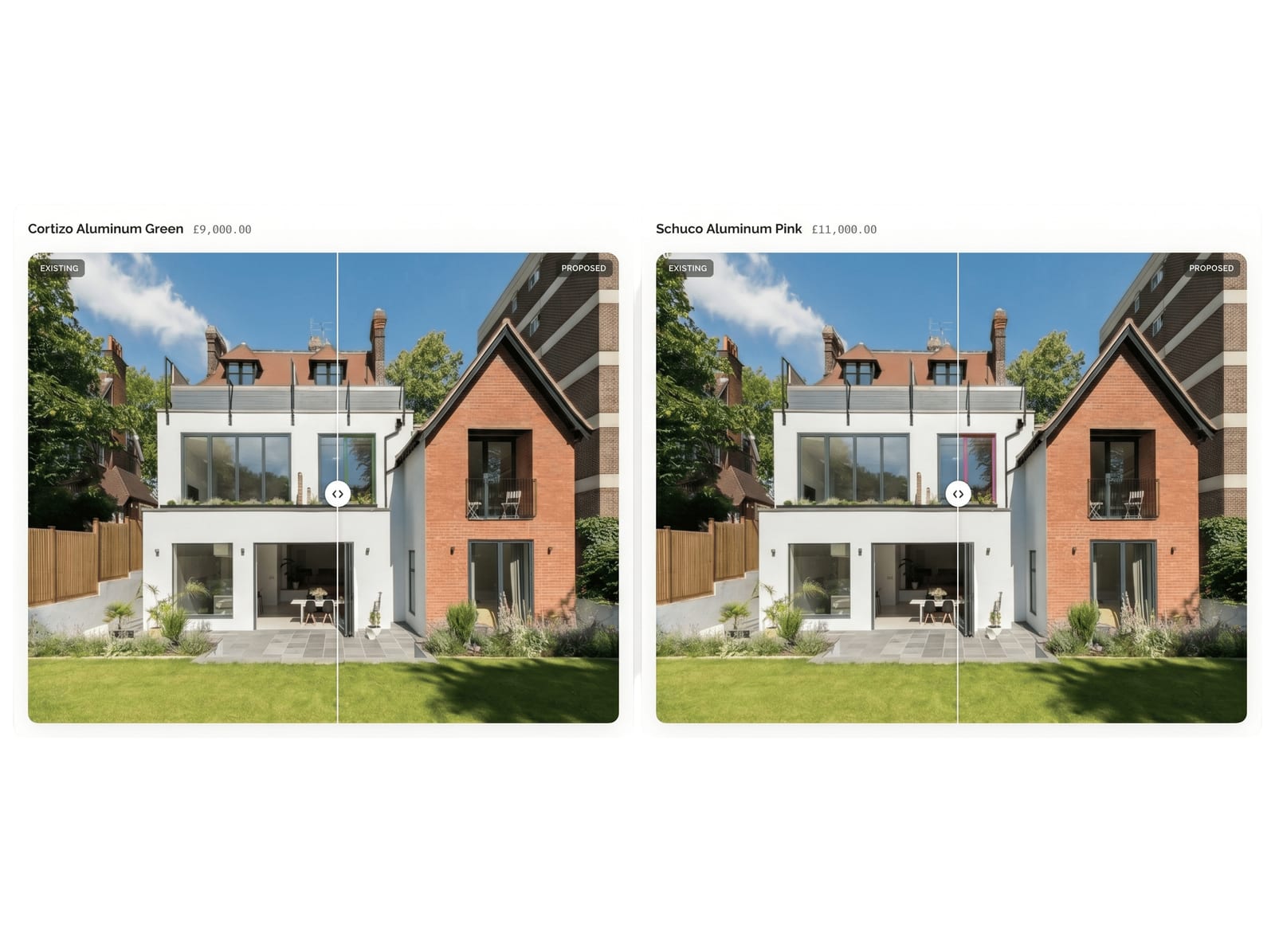
Two choices. One yes.
Quote a master option and an alternate side by side. The customer drags a slider, picks the one they like, and the quote updates to match. You stop sending three follow-up emails to close one job.
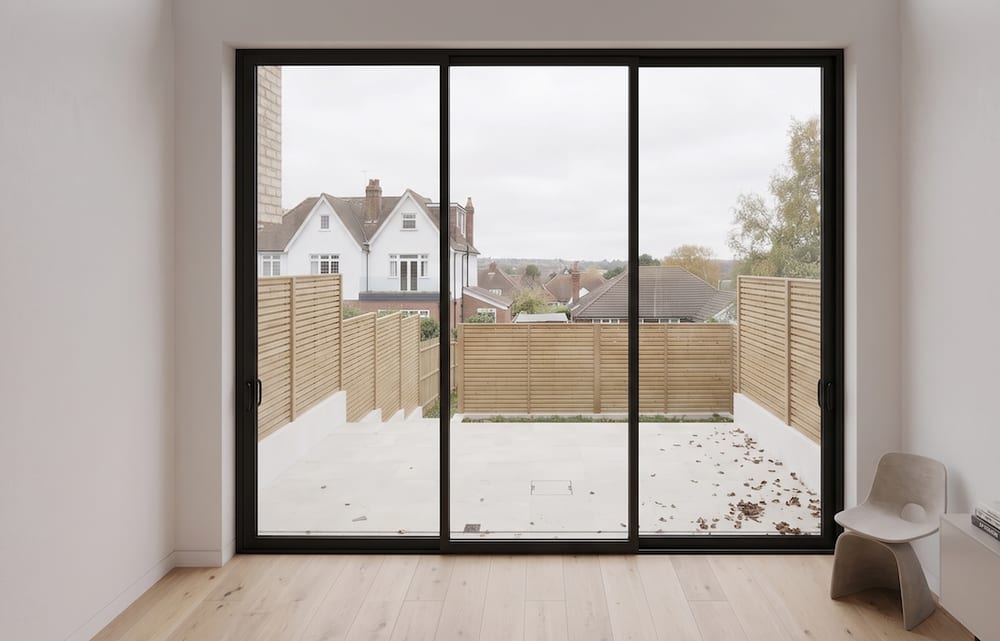
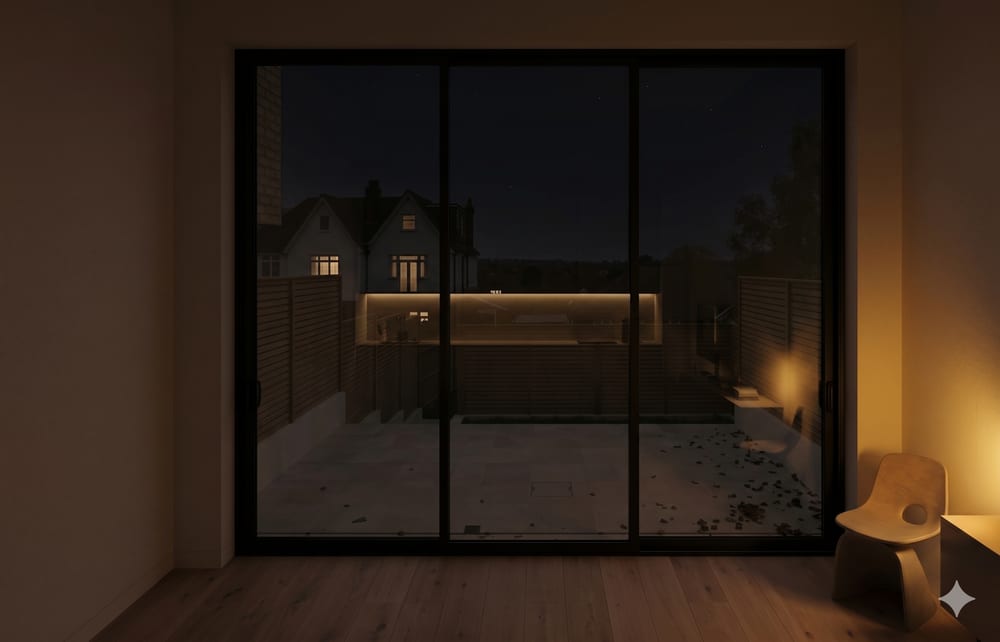
Show them the view from the sofa, morning and night.
A second photo taken inside the room becomes a morning interior render and an evening one. Lamps glow, the room dims, the new window stays pixel-true. It is the moment a bifold job stops being a price and starts being a want.
Know the planning position before you price the job.
Every UK job is checked against the national planning register between the address and the render — conservation areas, Article 4 directions, listed buildings. You find out on the driveway, not eight weeks later. And because a conservation area on its own usually does not stop a window replacement, you keep work the rest of the trade turns away.
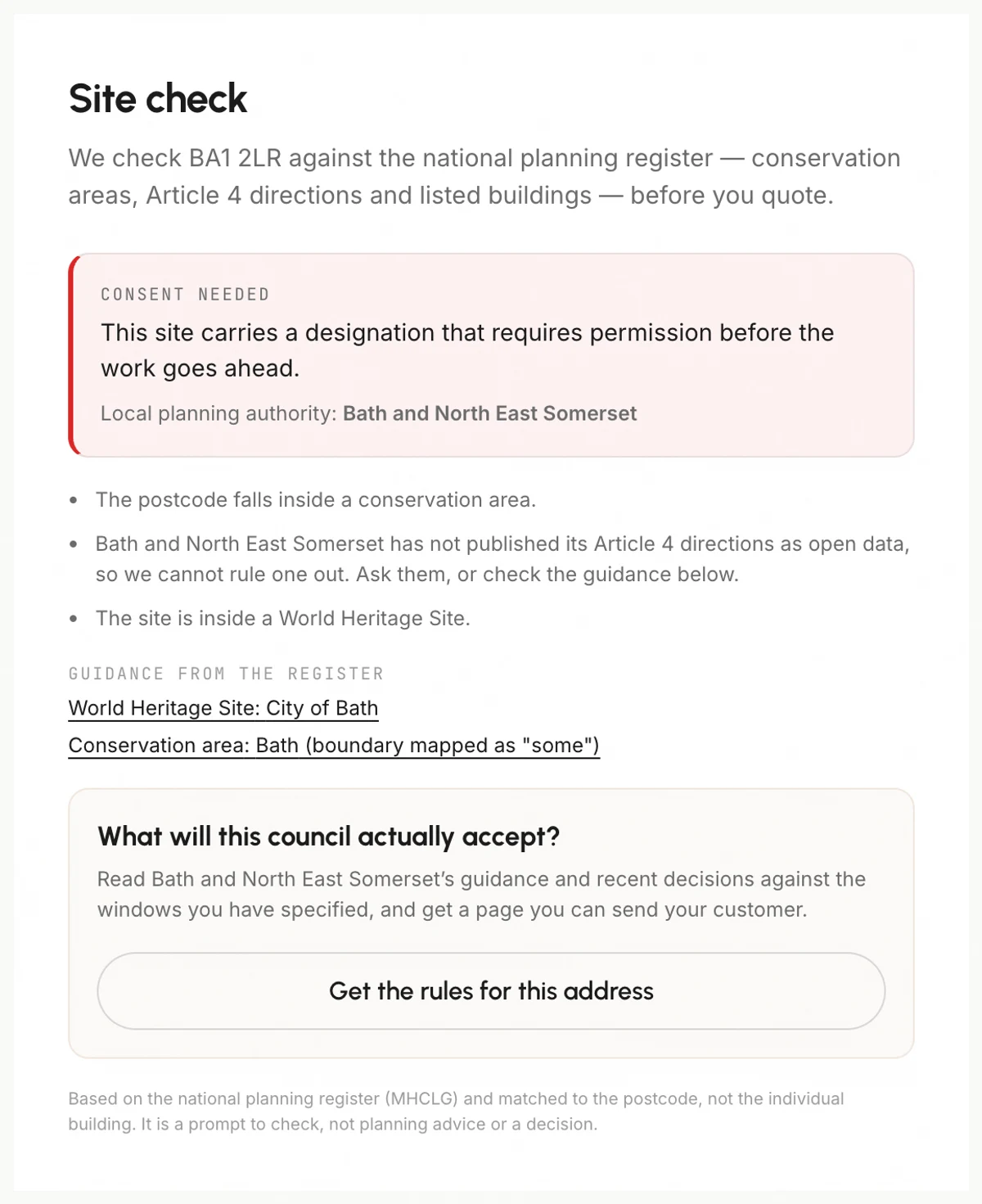
Tell the customer why it says timber, not uPVC.
With the Planning Review add-on, we read your council’s own guidance and recent decisions against the windows you have specified — material, colour, opening style, glazing bars — and write it up as a page inside the customer’s brochure, next to the quote. The hardest conversation in a heritage job, answered before they ask.
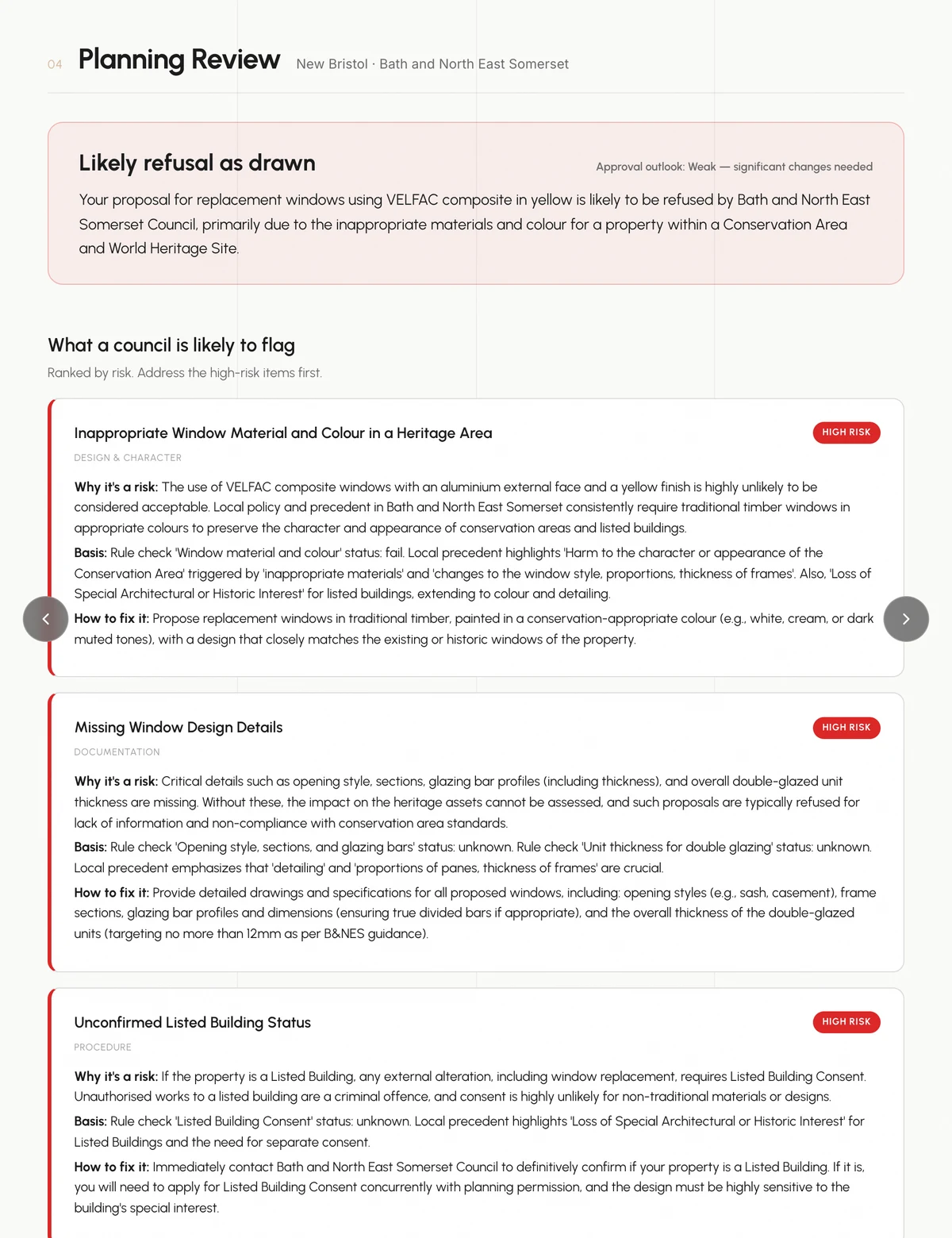
Photo to deposit in under two minutes.
From a phone snap to a signed quote and an invoice ready to send. Itemised line items, VAT or sales tax, auto-numbered invoicing. The deposit request goes out before you have packed the ladder away.
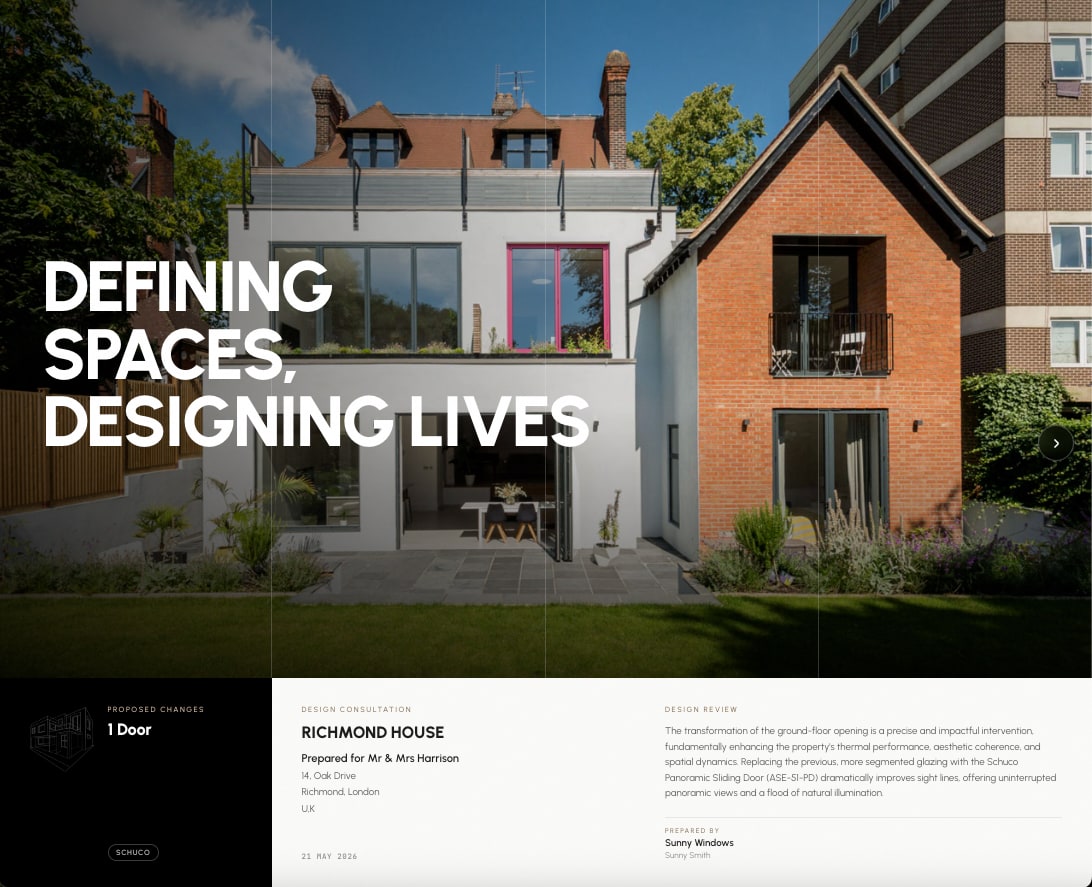
A brochure with your name on it. On their phone in seconds.
Hand them a link. Your logo, your colours, your contact details wrapped around the renders, the spec, the quote and the timeline. No PDF attachments, no “did the email come through?”. Just a link they open at the kitchen table.
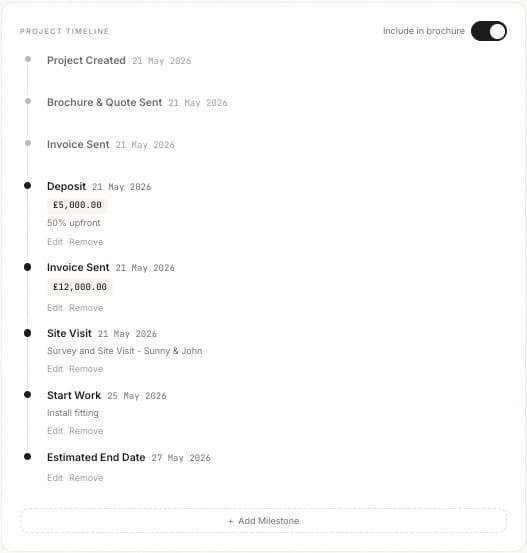
Every job tracked, from survey to signed off.
Set milestone dates for survey, manufacture, installation and completion, and move each project from In Progress to Secured. Every stage, every date and every customer in one place. No spreadsheets, no chasing.
Hold every installer to the same standard.
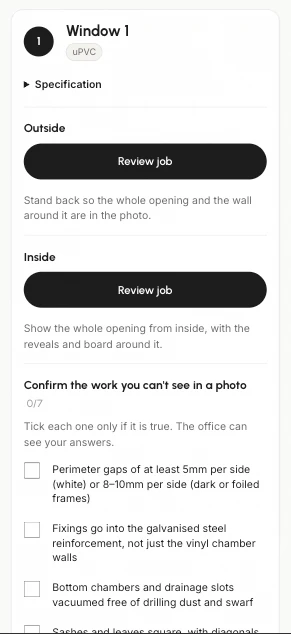
Send each installer a private link that opens on their phone. For every window and door they photograph the finished work from outside and inside, and an AI reviewer flags problems it can actually see in the photo, such as an uneven gap, a missing seal or a scratch. Where a photo is unclear it asks for a retake instead of guessing. The installer replies to each point and confirms the work no photo can show, and you keep a named, time-stamped record. Your customer never sees any of it.
Four steps. Two minutes. One closed deal.

Snap or upload
A single photo of the property. Phone camera is fine. Drag four corners around each window or door you want to change.

Spec the product
Pick a brand and product from the catalog. Set frame colour, glass and hardware. We auto-fill what we can.

Render in seconds
Per-object inpainting builds both options at once — a master and an alternate, plus a stylised version if you want one.

Share, quote, invoice
One link goes to the customer. They scroll, they pick, and you raise the invoice from inside the same brochure.
Free to start. Fair to scale.
Start with one free render, no card required. Pro covers unlimited window and door renders, the branded brochure, quotes and invoices — add Building Works later if you start quoting extensions.
Monthly plans cancel any time.
Everything you need to quote a window or door job and close it on the spot.
- Unlimited window & door renders
- Pick from 45+ leading window & door brands · 800+ products
- Realistic + coloured-sketch renders
- 2 customer options per project
- Interior morning + evening renders
- No watermarks
- Branded brochure + quote + invoice
- Contract builder with online signing
- Campaign door-drop leaflets
- Project timeline
- Installer links with AI photo checks
- 24-hour support, and we render complex jobs for you free
Win the bigger jobs — extensions, lofts and porches, not just glazing.
- Photoreal renders of extensions, lofts, porches & improvements
- Built straight onto your real property photo — the rest of the house stays exactly as it is
- No photo? Render directly from architect or structural drawings
- The same branded brochure, quote & invoice as a window job
A one-of-a-kind AI planning expert that reviews your scheme before you submit.
- Tells you what a council is most likely to object to, and what to fix first
- Reads your drawings and checks them against permitted-development (GPDO) + NPPF rules
- Live research of how your own council has decided similar cases — by postcode
- Risk-ranked report: what a council is likely to refuse, and how to fix it
- Shareable, client-branded planning brochure
USD prices are indicative and confirmed at checkout.
- 1 free render
- See exactly how Unformed works
- Watermarked share link
- Email support
- Upgrade anytime
- Everything in Pro
- Multi-seat (5+ users)
- White-label brochure
- Custom catalog ingestion
- API access
- Onboarding + dedicated CS
Questions, before you ask.
How accurate are the renders?
Can I add my own products and brands?
Do my customers need an account to view the brochure?
Does it work on my phone, on site?
What about VAT and international currencies?
Can I cancel anytime?
Your next quote could close today.
Try a free render on a job you are already quoting this week and see what the customer says when they can actually picture it.